Overview
This section outlines the following components required to successfully run a backcast and its calibration:
- Required Inputs
- Step-by-step procedure
- Exercise
Backcasting and Calibration
Backcasting involves modeling historical load data to improve the accuracy of future forecasts.
warning
Before doing this, a historical load must first be completed.
Tutorial Video (to add)
- Phase 1: Sequence Setup
- Phase 2: File Integration
- Phase 3: Simulation Parameters
- Phase 4: Bid Configuration
- Phase 5: Execution
1
Command Module
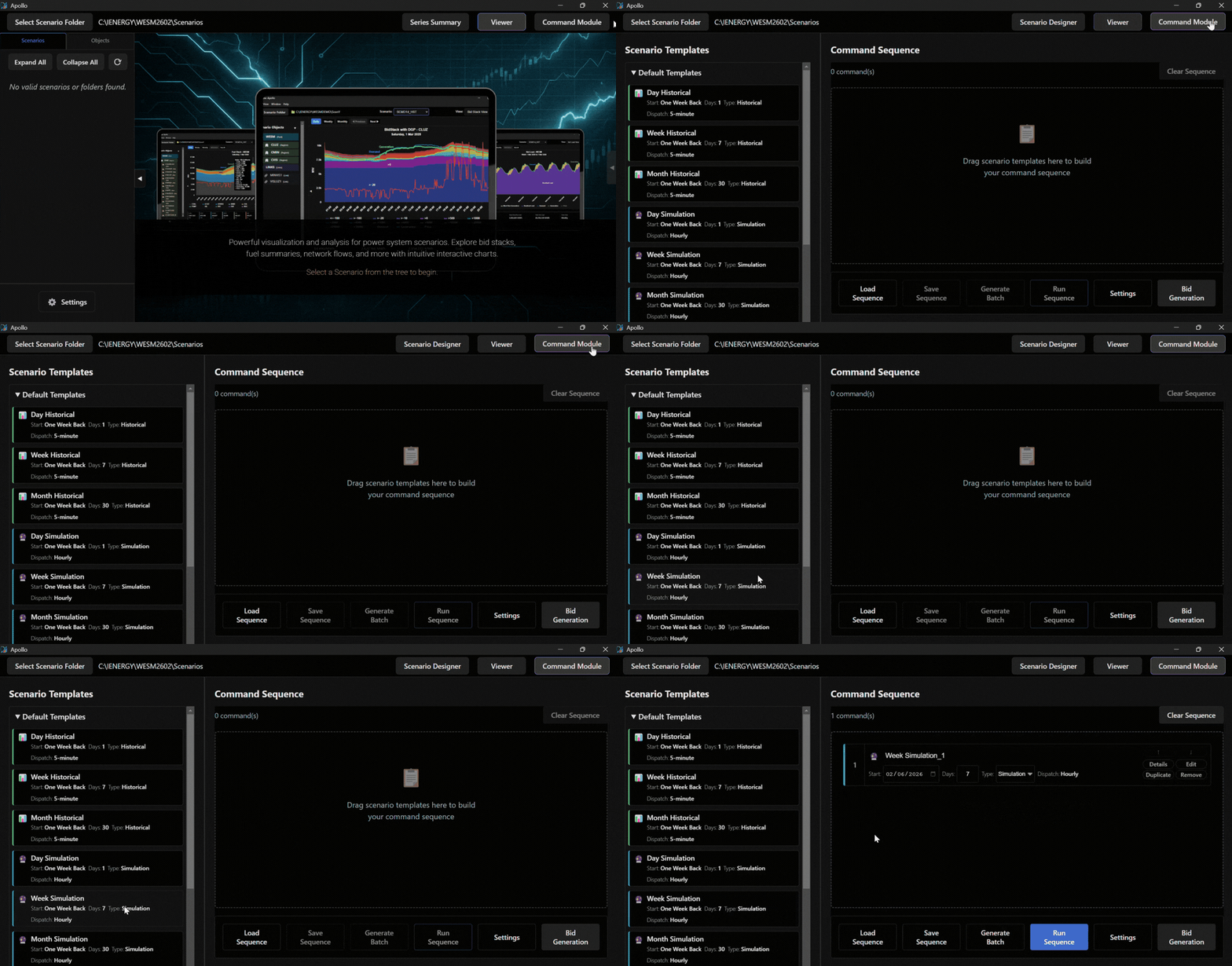
Open the Command Module and drag a week simulation into the Command Sequence panel.
Note
If multiple scenarios are present, the top-most scenario in the list will be executed first. When new scenarios are added to Apollo, you must click the Restart button to ensure proper initialization.
Exercise
Give it a try and do this exercise:
Step 1 of 3
Run and Initialize
Run DefInit.bat with correct database
Run a Historical Load